Internet Provider in Vancouver for IPTV: Speeds, Wi-Fi and Condo Fixes
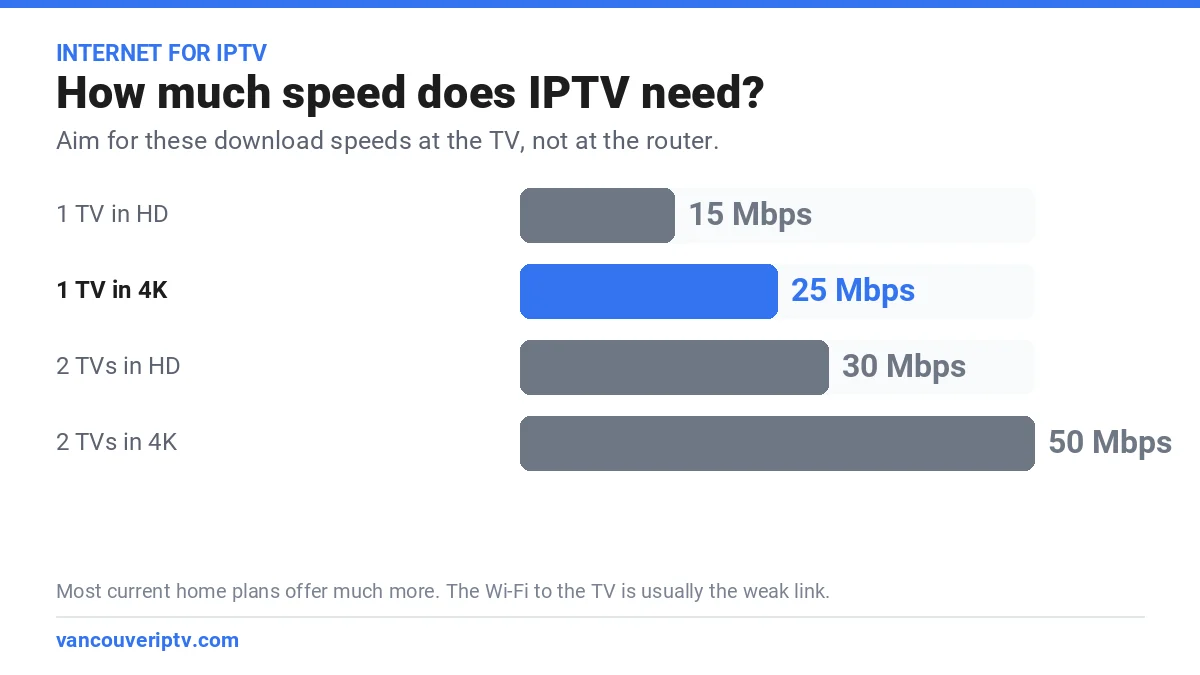
Any major internet provider in Vancouver for IPTV will do the job: Telus, Rogers, Novus and smaller providers all sell plans far faster than a TV stream needs. Plan on about 15 Mbps per HD stream and 25 Mbps for 4K. When IPTV buffers in a Vancouver home, the cause is usually the Wi-Fi between the router and the TV, not the plan on the bill. Our service is $59.99 CAD for 12 months, about $5.00 a month, and the free 24-hour trial is the easiest way to test your own connection.
Order on WhatsApp in about two minutes. Pay by card, Interac e-Transfer, Remitly or crypto (crypto takes 10% off). Every purchase is covered by our 7-day refund policy.
Which internet provider in Vancouver for IPTV works best?
Online IPTV does not care whose name is on your internet bill. It needs three things: enough download speed, a connection that stays steady in the evening, and a strong signal at the TV. Here is how the main options in Metro Vancouver line up:
- Telus. PureFibre brings fibre to the home in many Vancouver neighbourhoods, which gives very steady speeds. It is a solid internet provider in Vancouver for IPTV, whether or not you also take Optik TV.
- Rogers. The former Shaw cable network, now run by Rogers, reaches most of Metro Vancouver. Its plans are fast enough for several 4K streams; like any connection, test it on a weeknight evening.
- Novus. Fibre to select apartment and condo buildings, from downtown to Burnaby and Richmond. If your building has it, speed will not be your problem, though the Wi-Fi inside the suite might be.
- Smaller providers. Many run over the Telus or Rogers lines at lower prices. They work fine for IPTV as long as the plan covers every screen in your home.
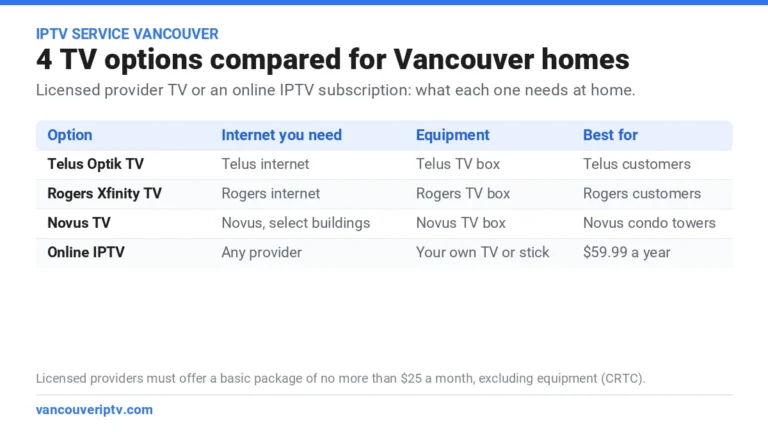
Also weighing TV from your provider? Our IPTV service Vancouver comparison puts Telus Optik TV, Rogers Xfinity TV, Novus TV and online IPTV side by side. For the bigger picture, see our main guide to IPTV in Vancouver.
Best internet for IPTV: how much speed your home needs
The best internet for IPTV is the plan that covers every screen in your home at the same time, with room to spare. Count the streams, not the people:
| Household | Streams at once | Aim for at least |
|---|---|---|
| Solo viewer, HD | 1 | 15 Mbps |
| One 4K TV | 1 | 25 Mbps |
| Two TVs (2-device plan) | 2 | 50 Mbps |
| Family with gaming and video calls | 2 plus other devices | 100 Mbps |
Most current home plans from any internet provider in Vancouver for IPTV clear these numbers easily. If your speed test shows less than this at the TV but much more at the router, the plan is fine: the Wi-Fi needs work.
How to test your internet provider in Vancouver for IPTV
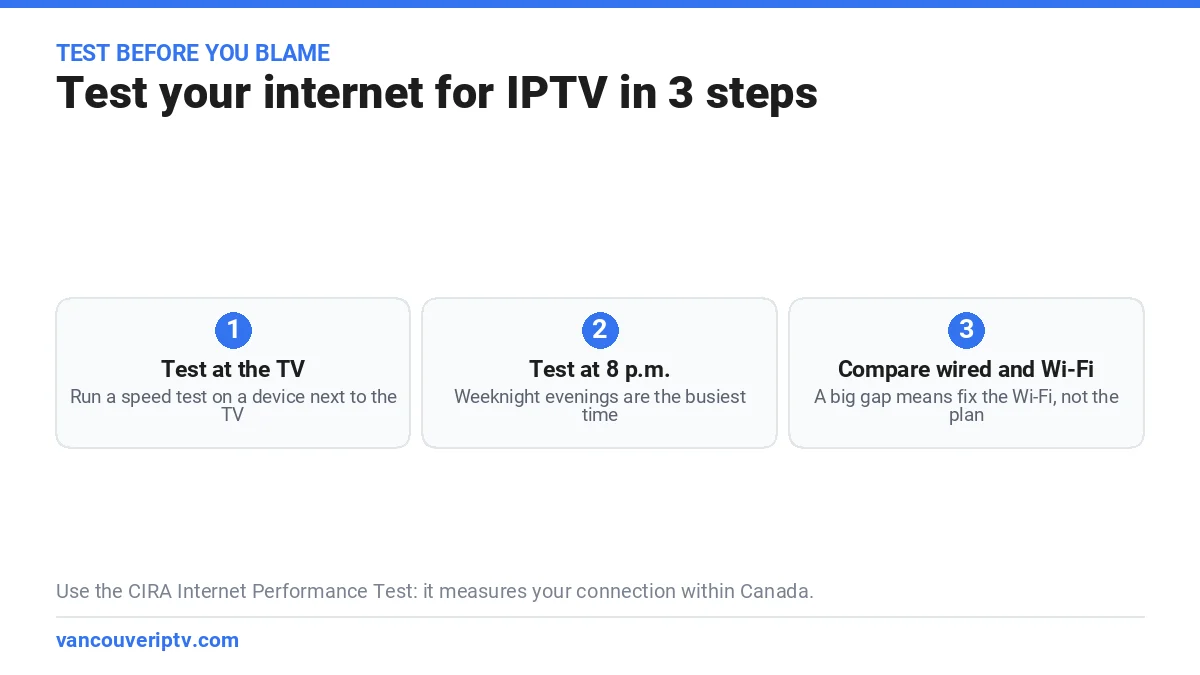
A speed test on a phone next to the router flatters your connection. Test where you watch, when you watch:
If YouTube in 4K plays smoothly on the TV but a live channel stutters, your internet is fine. Message us on WhatsApp and we will check the app and the stream with you.
- Test at the TV. Run the CIRA Internet Performance Test on a phone or laptop sitting next to the TV. CIRA runs its test servers inside Canada, so the result reflects your connection to the wider Canadian internet, not just to your provider.
- Test at 8 p.m. on a weeknight. That is when everyone in the building is streaming.
- Compare wired and Wi-Fi. If a cable gives 300 Mbps and Wi-Fi at the couch gives 20, your internet provider in Vancouver for IPTV is not the problem.
- Run the free IPTV trial the same evening. If YouTube plays smoothly in 4K but live channels stutter, message us on WhatsApp: that points to the app or the stream, and we help you fix it.
5 Wi-Fi fixes for Vancouver condos and basement suites
Vancouver homes are hard on Wi-Fi: concrete towers downtown and around Metrotown, long narrow condos, and basement suites two floors below the router. Whatever internet provider in Vancouver for IPTV you use, these five fixes solve most buffering, in order of impact:
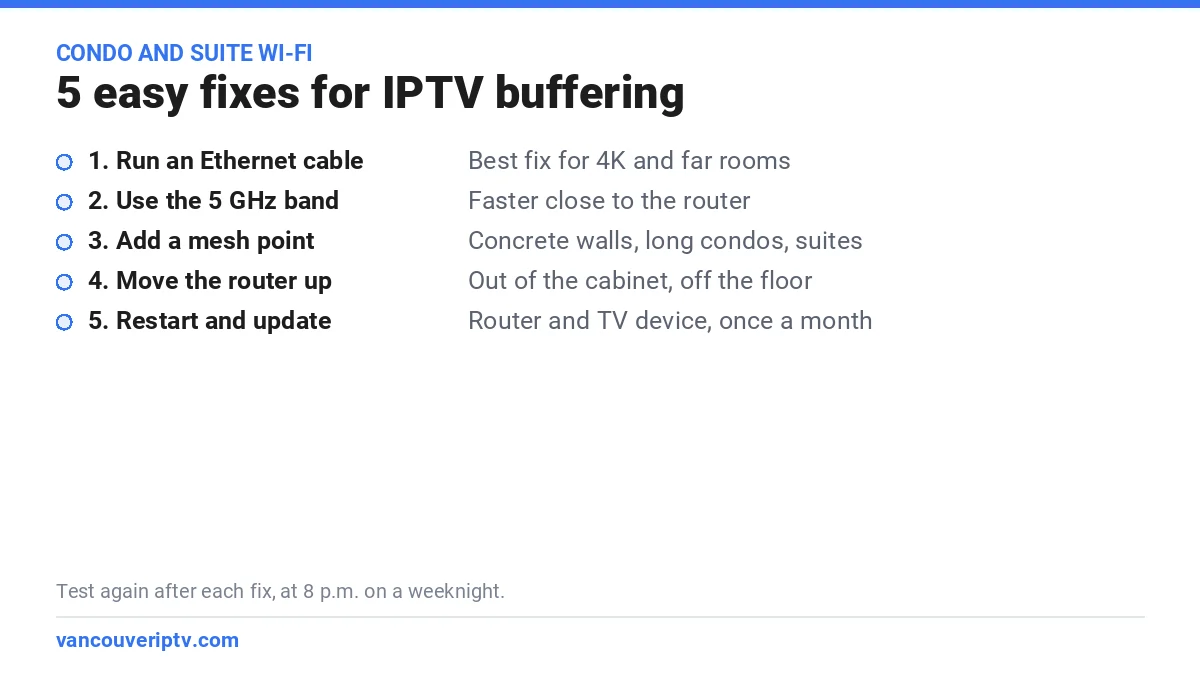
- Run an Ethernet cable to the TV device. The single best fix for 4K, and a flat cable along the baseboard costs a few dollars. Fire TV sticks need an Ethernet adapter; most Android and Google TV boxes have a port.
- Use the 5 GHz band. It is faster than 2.4 GHz over short distances. If your router shows one network name, check that the TV device connects on 5 GHz.
- Add a mesh point near the TV. In a long condo or a basement suite, one mesh node halfway between the router and the TV beats any plan upgrade.
- Move the router up and out. Out of the cabinet, off the floor and away from the microwave. A router hidden in a closet loses much of its range.
- Restart and update. Restart the router and the TV device once a month and install updates. It clears memory and fixes many slowdowns.
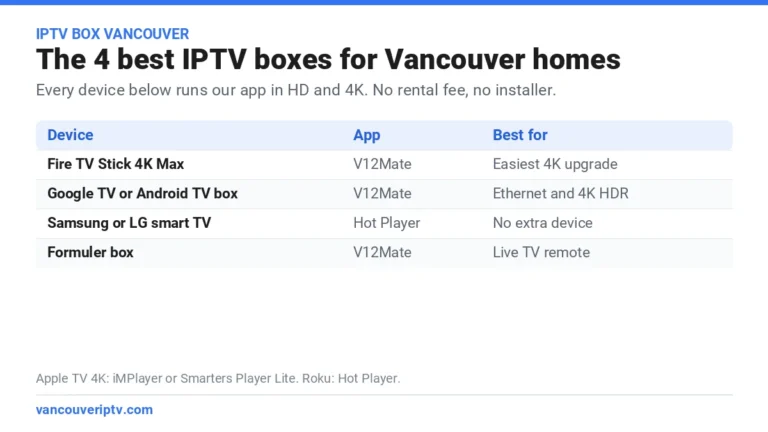
Picking a device with an Ethernet port? Our IPTV box Vancouver guide compares the best options.
Switching providers or moving? Your IPTV comes with you
Online IPTV is not tied to your address or to your provider. Changing your internet provider in Vancouver for IPTV, from Rogers to Telus or the other way around, takes nothing more than signing in again on the new Wi-Fi. The same goes for a move from a Kitsilano rental to a Surrey townhouse: no installer visit, no transfer fee.
Heading out of the city? Our page on IPTV from Surrey to Hope covers internet speeds in the Valley. New to IPTV? See how an IPTV subscription works in Vancouver, step by step.
What a year of IPTV adds to your internet bill
Whichever internet provider in Vancouver for IPTV you keep, nothing changes on that bill. IPTV is one yearly payment on top of the plan you already have: $59.99 CAD for 12 months on one device, about $5.00 a month, or $99.99 for two devices at the same time. Getting the best internet for IPTV rarely means upgrading: fix the Wi-Fi first and keep your current plan.
A $10 Ethernet cable or one mesh point fixes more buffering than a faster plan. Keep your plan, fix the Wi-Fi, then take the year: $59.99, about $5.00 a month.
Ready to order? Here is how to pay for your IPTV plan in Vancouver, from your first WhatsApp message to your login.
12 months of IPTV in Vancouver for $59.99 CAD, about $5.00 a month, on the internet plan you already have. Order on WhatsApp in about two minutes.
Get 12 months for $59.99 CADInternet provider in Vancouver for IPTV: frequently asked questions
What internet speed do I need for IPTV?
About 15 Mbps per HD stream and 25 Mbps for 4K, measured at the TV. For two TVs in 4K at the same time, aim for 50 Mbps.
Which internet provider in Vancouver for IPTV is best?
Any stable plan from Telus, Rogers, Novus or a smaller provider works. The Wi-Fi between your router and the TV matters more than the brand.
Why does IPTV buffer when Netflix works fine?
Netflix loads video well ahead, while live TV can only buffer a few seconds. Weak Wi-Fi shows up on live channels first, so try Ethernet or a mesh point.
Is Wi-Fi enough, or do I need Ethernet?
Wi-Fi on the 5 GHz band is usually enough near the router. For 4K, or a TV far from the router, use Ethernet or a mesh point.
Do I need to tell my internet provider I use IPTV?
No. IPTV is ordinary internet traffic. There is nothing to install on the provider side and no technician visit.
Can I watch IPTV on mobile data?
Yes, on a phone or tablet, but video uses a lot of data. At home, stay on Wi-Fi.
Put your internet provider in Vancouver for IPTV to the test tonight
Your internet provider in Vancouver for IPTV is probably good enough already. Run the speed test at the TV, start the free trial, and watch a live game or the evening news. If it holds up, take 12 months for $59.99 CAD, about $5.00 a month. If it stutters, message us on WhatsApp and we will help you find the weak link before you pay anything.
Vancouver IPTV is an independent Canadian reseller and does not host or stream copyrighted content; all content is supplied by third-party providers, and channel lineups are subject to change. Telus, Rogers, Novus and device names belong to their respective owners. Users are responsible for ensuring they have the right to view content in their jurisdiction. See our DMCA notice.