IPTV Box Toronto: Which Device to Buy for Your GTA Home
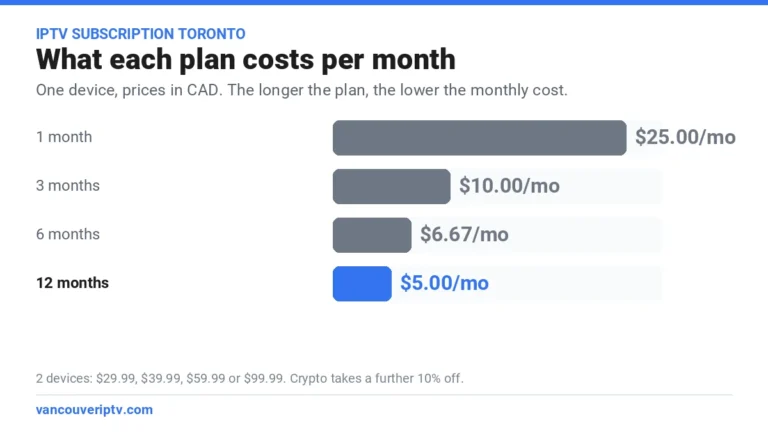
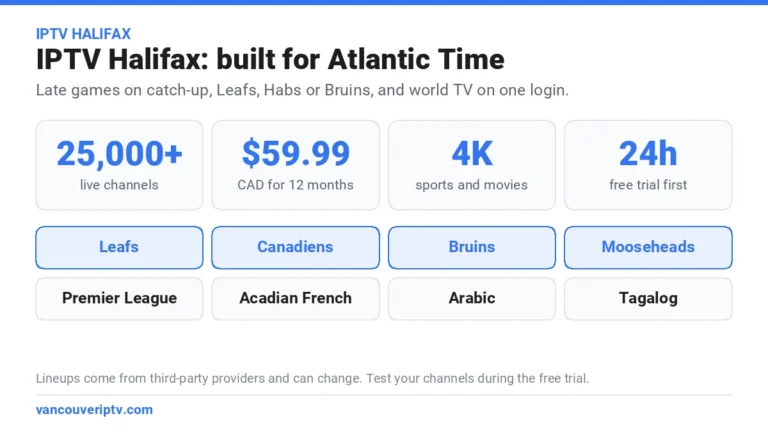
The best IPTV box Toronto homes can use is often the smart TV already on the wall, or a streaming stick bought once. Our app runs on Fire TV, Google TV and Android TV boxes, Samsung and LG TVs, Roku and Apple TV, so there is no set-top box to rent from Bell or Rogers. Buying new? A Fire TV Stick 4K Max costs under $100 and handles 4K. The service is $59.99 CAD for 12 months, about $5.00 a month, and the free 24-hour trial runs on the device you already own.
Order on WhatsApp in about two minutes. Pay by card, Interac e-Transfer, Remitly or crypto (crypto takes 10% off). Your login arrives on WhatsApp, usually within 2 to 10 minutes of payment, and every purchase is covered by our 7-day refund policy.
Do you need an IPTV box in Toronto?
No. Bell Fibe TV and Rogers Xfinity TV come with a set-top box because they run on their own networks. Online IPTV is different: it is a login and an app, so any supported screen becomes your IPTV box. That works the same in a CityPlace condo, a detached house in Brampton or a basement apartment in East York.
A dedicated IPTV box Toronto shoppers see advertised mostly makes sense for comfort: a remote with real channel buttons for relatives who never want to see an app menu. For channels, sports and prices, start with our main guide to IPTV in Toronto.
The 4 best IPTV box Toronto picks, by type of home
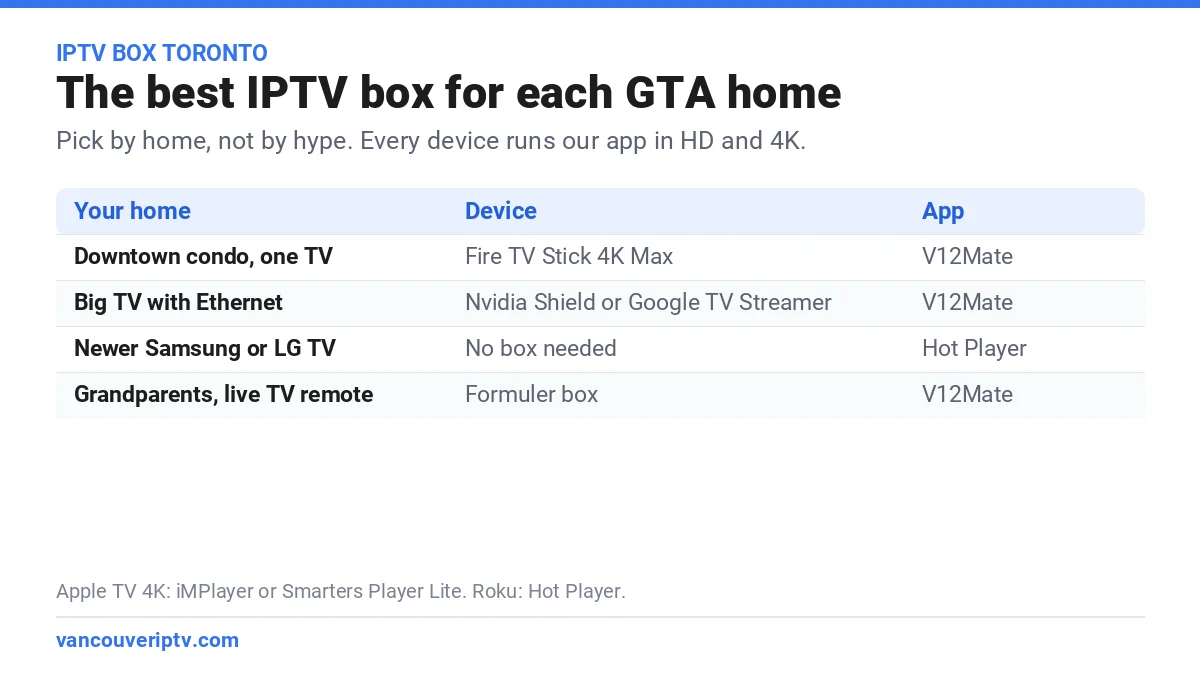
Pick the device for the room it goes in, not for the spec sheet. This is the IPTV box Toronto shortlist:
- A downtown condo with one TV: Fire TV Stick 4K Max. It hides behind the TV, plugs into HDMI and installs V12Mate in about five minutes. In a concrete tower, pair it with Amazon’s Ethernet adapter or a mesh point if the router is far away.
- A big TV in a wired room: Nvidia Shield or Google TV Streamer. Both have an Ethernet port, a fast processor and 4K HDR, which makes them the strongest IPTV box Toronto sports fans can put under a large screen for Leafs and Raptors nights.
- A newer Samsung or LG TV: no box at all. Install Hot Player from the TV’s app store and sign in. Add a stick later only if the menus feel slow.
- Grandparents who watch Tamil, Punjabi or Cantonese channels: a Formuler box. It runs Android, so V12Mate works, and its remote feels like a cable remote. Set up a favourites list with their channels so they never scroll through thousands of others.
Already own an Apple TV 4K or a Roku? Keep it: use iMPlayer or Smarters Player Lite on Apple TV, and Hot Player on Roku.
Is there an IPTV store in Toronto?
There is no IPTV store Toronto residents need for the subscription: we sell online, on WhatsApp, with a free trial first. For the device, big electronics retailers in the GTA such as Best Buy and Canada Computers, or Amazon.ca, sell the sticks and boxes above. An IPTV store Toronto shoppers walk into is fine for buying a mainstream device with a receipt and a return window.
Buy the device from a store with a receipt, and the subscription online after a free trial. If either one fails, you replace one thing, not both.
Be careful with shops and Kijiji sellers offering a box with a year of channels already loaded. You are paying for the seller’s subscription, usually with no trial and no refund, and if that seller disappears, the box goes dark. Buy the device and the subscription separately, so each one can be replaced on its own.
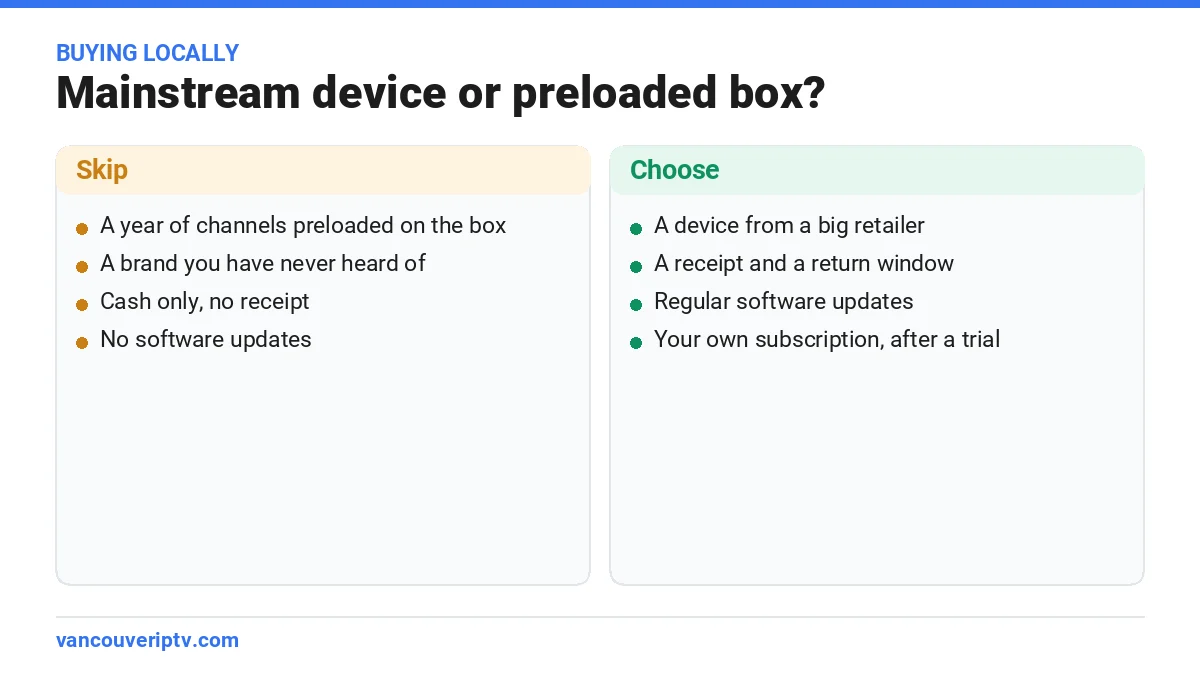
Security matters too. The federal Get Cyber Safe page on TVs and smart devices warns that connected devices can give cyber criminals a way into your information, and advises keeping their software up to date and putting them on a separate network. A device from a brand that still ships updates, on your router’s guest network, is the safest IPTV box Toronto homes can run.
The box that records: catch-up and recording
Many people looking for the best IPTV box Toronto offers really want one that records. Two things cover that need. First, catch-up: many channels let you go back and rewatch recent shows, so the 6 p.m. news or last night’s game can wait until you are off the 401. Second, true recording: some Android player apps can record to a USB drive, which needs a box with a USB port and storage, like a Shield or a Formuler. Fire TV sticks have little storage, so they suit catch-up better than recording.
Recording support depends on the app and the channel, so test it during the free trial before you buy a box for it.
How to set up an IPTV box in a Toronto condo or house
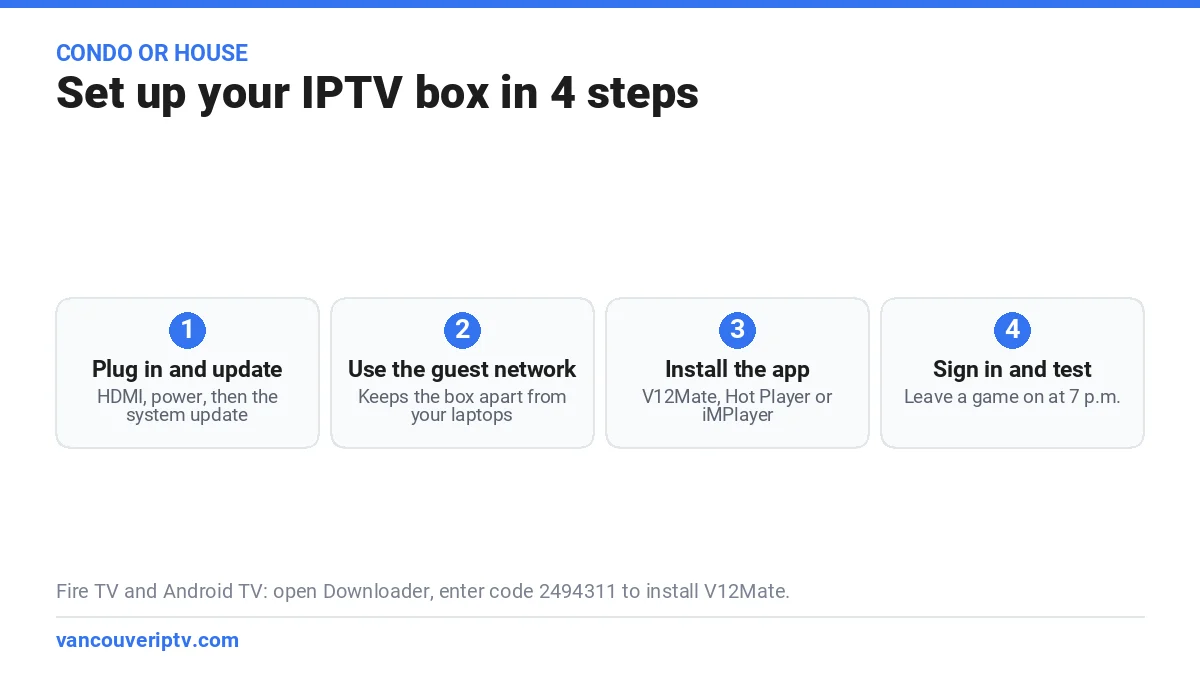
- Plug in and update. HDMI and power, then run the system update before you install anything.
- Connect it, by cable if you can. Concrete walls in Liberty Village, North York and Mississauga City Centre towers weaken Wi-Fi. A short Ethernet cable or a mesh point near the TV fixes most buffering. Aim for 15 Mbps at the TV for HD and 25 Mbps for 4K.
- Install the app. V12Mate on Fire TV and Android TV, through the Downloader app with code 2494311. Hot Player on Samsung, LG and Roku. iMPlayer or Smarters Player Lite on Apple TV.
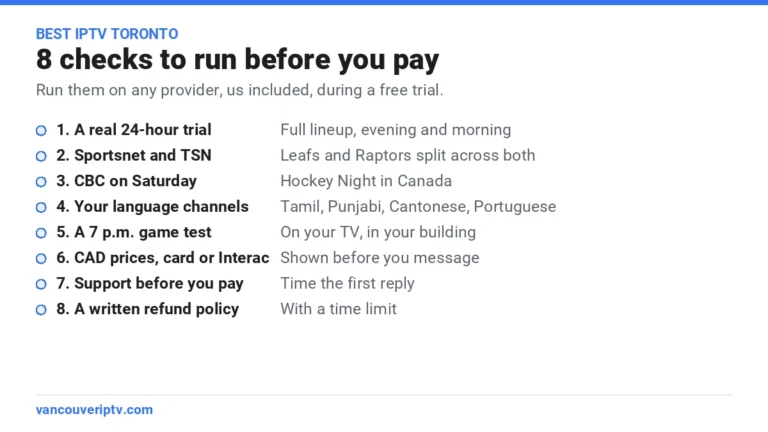
- Sign in and test. Use the trial login from WhatsApp, open Sportsnet and TSN, then your language channels, and leave a game on at 7 p.m.
Need screenshots? Our step-by-step installation guide covers every app.
What an IPTV box Toronto setup costs for a year
The IPTV box Toronto shoppers buy is a one-time purchase, and many homes skip it by using the TV they own, while provider TV usually adds a box rental to every monthly bill. Our service is $59.99 CAD for 12 months on one device, about $5.00 a month, or $99.99 for two devices at the same time, handy for a TV at home and a phone on the GO train. No contract, no installation fee.
Run the free 24-hour trial on your current TV or stick. Only buy a new device if the trial shows you need one. Then take the year: $59.99, about $5.00 a month.
Two TVs? Buy a second stick, not a second subscription. Still comparing providers? Run the checks in our guide to the best IPTV in Toronto. Ready? Here is how to order an IPTV subscription in Toronto.
12 months of IPTV in Toronto for $59.99 CAD, about $5.00 a month, on the screen you already own. Order on WhatsApp in about two minutes.
Get 12 months for $59.99 CADIPTV box Toronto: frequently asked questions
What is the best IPTV box in Toronto?
For most condos, a Fire TV Stick 4K Max. For a big TV in a wired room, an Nvidia Shield or a Google TV Streamer. All of them run V12Mate and handle 4K.
Can I buy an IPTV box at a store in Toronto?
Yes, the device. Best Buy, Canada Computers and Amazon.ca sell the sticks and boxes we support. Buy the subscription separately, online, after a free trial.
Should I buy a box with channels preloaded?
No. You pay for someone else’s subscription with no trial or refund, and the box goes dark if the seller disappears.
Which IPTV box records shows?
Catch-up covers recent shows on many channels. For true recording, choose an Android box with a USB port, like a Shield or a Formuler, and check recording in your app during the trial.
Can one IPTV box Toronto setup cover two TVs?
One box feeds one TV. For two screens at the same time, take the 2-device plan at $99.99 for 12 months and add a second device.
Do I still need Bell or Rogers?
Only for internet, if they are your provider. IPTV runs on any internet connection, so you can drop their TV box and keep the internet plan.
Try your IPTV box Toronto setup tonight, for free
Start with the screen you already own: for many homes, the best IPTV box Toronto has to offer is the TV in the living room. If a Leafs game plays smoothly on a weeknight, take the year: 12 months for $59.99 CAD, about $5.00 a month. Buy a new device only if the trial shows you need one.
Vancouver IPTV is an independent Canadian reseller and does not host or broadcast any copyrighted content; all content comes from third-party providers and lineups can change. Team, channel and service names belong to their respective owners. Each user is responsible for making sure they are allowed to watch the content where they live. See our DMCA notice.